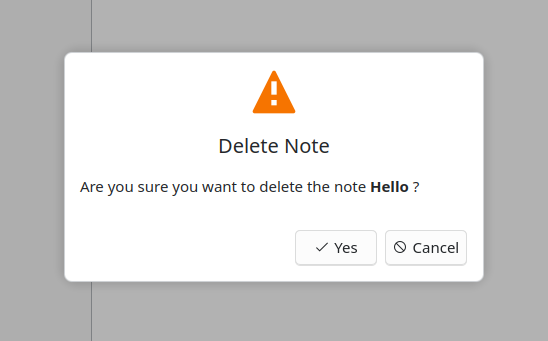
MessageDialog QML Type
A message dialog with success, warning, error, and information styles. More...
| Import Statement: | import org.kde.kirigamiaddons.components |
| Inherits: |
Detailed Description
Set the title and subtitle to describe the message, choose a dialogType, and set standardButtons for the available actions. Add extra content as child items; it appears below the title and subtitle.
import QtQuick.Controls as Controls
import org.kde.kirigamiaddons.components as Components

Controls.ApplicationWindow {
    visible: true

    Components.MessageDialog {
        id: errorDialog

        dialogType: Components.MessageDialog.Error
        title: "Unable to connect"
        subtitle: "Check your network connection and try again."
        dontShowAgainName: "connectionError"
        standardButtons: Controls.Dialog.Ok
    }

    Controls.Button {
        text: "Show message"
        onClicked: errorDialog.openDialog()
    }
}
Call openDialog() to show the dialog and honor any saved choice. Set dontShowAgainName to offer a persistent "Do not show again" checkbox.